 Turkey (Türkçe)
 Worldwide (English)
How to view Windows Server 2012 log records
How to view Windows Server 2012 log records

You can follow the steps below to review your log records in the Windows Server 2012 operating system.
1- We go to the search section in the Start section. We write eventvwr in the search bar.
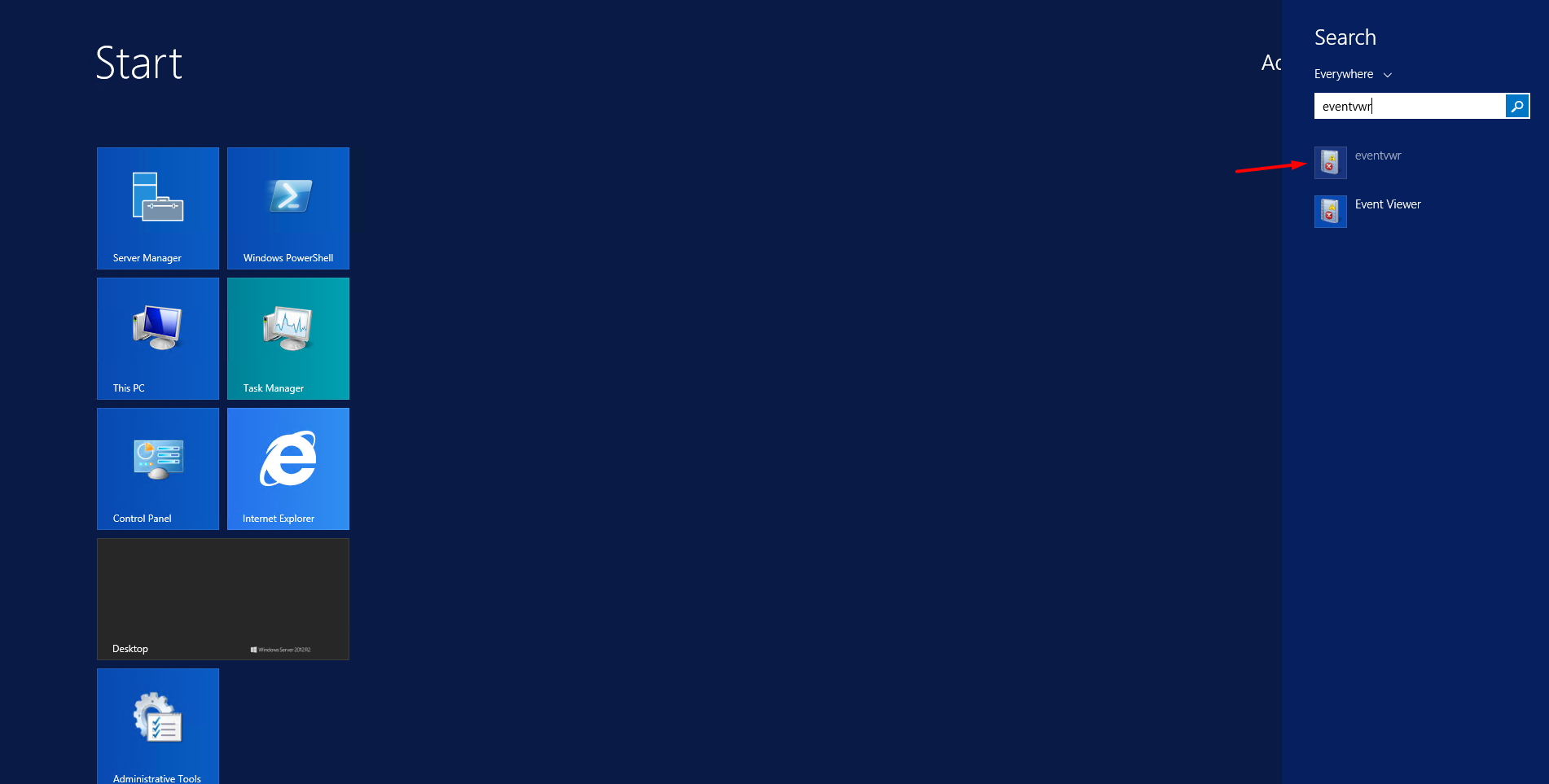
2- You can check your detailed logs by opening the application shown in the screenshot.
Can't find the information you're looking for?
You have examined the knowledge base in detail, but if you cannot find the information you need,
Create a Support Ticket-
How to Open Ports in Windows?
1302 2
-
How to Grant Windows Administrator Privileges?
864 0
-
How to install Webmin on Ubuntu?
1451 2
-
Linux SSH Terminal Commands and Explanations
1362 3
-
CentOS Stream 10 Update Commands
1401 1
-
CentOS Stream 9 Update Commands
2234 2
-
CentOS Stream 8 Update Commands
1235 0
-
What is FreeBSD?
1335 2
-
Out: 452 4.3.1 Insufficient system storage
1347 2
-
Turning Off Automatic Updates in Windows Operating Systems
1503 1
