 Turkey (Türkçe)
 Worldwide (English)
How to unblock access restricted ESXI password

When you repeatedly type your password incorrectly while logging in, ESXi locks your ESXi password for security purposes. Even if you enter your password correctly, you cannot log in afterwards. In this article, we will show you how to unlock the Lock esxi password.
To remove the lock part of the password, a physical monitor must be attached to the server or your data center must provide remote console access. (For example: Idrac, ilo etc.)
After accessing your server via the console, we enter the Troubleshooting Mode Options section. Then we put ESXi Shell and SSH services into enable mode.

We transfer the part in the screenshot to the ESXi Shell section with the ALT+F1 function. After going to the Shell section, you can enter your esxi username and password on this screen. Lock operation will not have any effect.
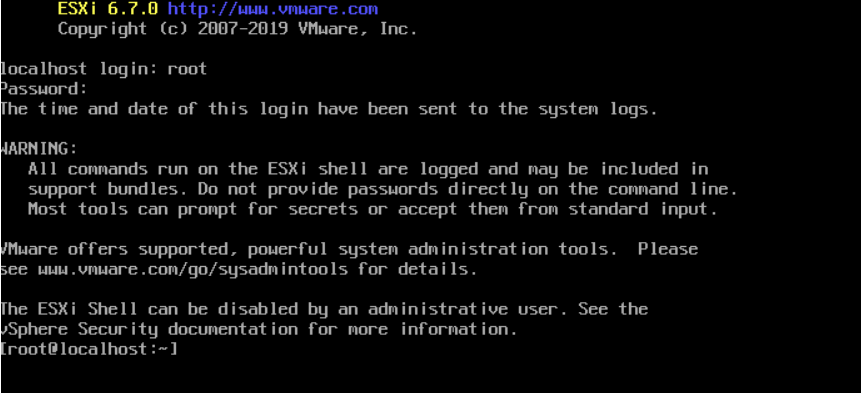
To make the locked password accessible again, we use the pam_tally2 –user root –reset command.
Now our root user's lock access has been successfully removed. It will be accessible via vSphere Host Client or SSH.
Can't find the information you're looking for?
You have examined the knowledge base in detail, but if you cannot find the information you need,
Create a Support Ticket-
How to Open Ports in Windows?
1310 2
-
How to Grant Windows Administrator Privileges?
869 0
-
How to install Webmin on Ubuntu?
1458 2
-
Linux SSH Terminal Commands and Explanations
1369 3
-
CentOS Stream 10 Update Commands
1405 1
-
CentOS Stream 9 Update Commands
2241 2
-
CentOS Stream 8 Update Commands
1239 0
-
What is FreeBSD?
1342 2
-
Out: 452 4.3.1 Insufficient system storage
1354 2
-
Turning Off Automatic Updates in Windows Operating Systems
1511 1
