X

Select Your Country

Turkey (Türkçe)Turkey (Türkçe) Worldwide (English)Worldwide (English)
X

Select Your Currency

Türk Lirası $ US Dollar

NVMe SSD Virtual Servers

With the best virtualization solutions, Dell EMC Unity 300 Storage NVMe Disk Structure - Turkey location, Buy VDS fully equipped Convenient VDS.

  • Turkiye Location

    Our servers are hosted at the Datacasa Istanbul Tier III data center.

  • Free Migration

    Free migration support between compatible control panels.

  • Dedicated Resources

    All resources are exclusively allocated to you, not shared.

  • 24/7 Support

    Our experienced support team is available around the clock.

NVMe SSD Virtual Servers

High Performance NVMe SSD Virtual Servers

The packages listed below are specially prepared for you. You can review the packages that suit you best, or contact our Support Team for assistance with your selection.

  • Premium Server 1

    E5 2698-99 V4 1 Core

    CPU

    1 GB DDR4

    Ram

    40 GB NVMe

    Disk

    100 Mbit/s

    Bandwidth

    Türkiye

    Location

    89,99 ₺ / Monthly

  • Premium Server 2

    E5 2698-99 V4 1 Core

    CPU

    2 GB DDR4

    Ram

    50 GB NVMe

    Disk

    100 Mbit/s

    Bandwidth

    Türkiye

    Location

    109,99 ₺ / Monthly

  • Premium Server 3

    E5 2698-99 V4 2 Core

    CPU

    2 GB DDR4

    Ram

    60 GB NVMe

    Disk

    100 Mbit/s

    Bandwidth

    Türkiye

    Location

    139,99 ₺ / Monthly

  • Premium Server 4

    E5 2698-99 V4 2 Core

    CPU

    3 GB DDR4

    Ram

    70 GB NVMe

    Disk

    100 Mbit/s

    Bandwidth

    Türkiye

    Location

    169,99 ₺ / Monthly

  • Premium Server 5

    E5 2698-99 V4 3 Core

    CPU

    3 GB DDR4

    Ram

    80 GB NVMe

    Disk

    100 Mbit/s

    Bandwidth

    Türkiye

    Location

    199,99 ₺ / Monthly

  • Premium Server 6

    E5 2698-99 V4 4 Core

    CPU

    4 GB DDR4

    Ram

    90 GB NVMe

    Disk

    100 Mbit/s

    Bandwidth

    Türkiye

    Location

    229,99 ₺ / Monthly

  • Premium Server 7

    E5 2698-99 V4 4 Core

    CPU

    6 GB DDR4

    Ram

    100 GB NVMe

    Disk

    100 Mbit/s

    Bandwidth

    Türkiye

    Location

    259,99 ₺ / Monthly

  • Premium Server 8

    E5 2698-99 V4 6 Core

    CPU

    6 GB DDR4

    Ram

    110 GB NVMe

    Disk

    100 Mbit/s

    Bandwidth

    Türkiye

    Location

    289,99 ₺ / Monthly

  • Premium Server 9

    E5 2698-99 V4 6 Core

    CPU

    8 GB DDR4

    Ram

    120 GB NVMe

    Disk

    100 Mbit/s

    Bandwidth

    Türkiye

    Location

    319,99 ₺ / Monthly

  • Premium Server10

    E5 2698-99 V4 6 Core

    CPU

    10 GB DDR4

    Ram

    130 GB NVMe

    Disk

    100 Mbit/s

    Bandwidth

    Türkiye

    Location

    349,99 ₺ / Monthly

Step by Step Professional Results

Identify the services that suit your business needs, follow the guidance, and activate your infrastructure securely within minutes to kickstart your digital process.

01

Choose Your Domain Name

Select the most accurate and effective domain name for your project.

Search Domain
02

Service Selection

Choose your Hosting or Server infrastructure according to your requirements.

Select Service
03

Create an Account

Set up your secure account to manage your services.

Register
04

Make a Payment

Complete the secure payment process for your selected services.

Make Payment
05

Launch Your Project

Activate your system quickly by completing all the steps.

Client Panel

Server Packages Key Highlights

With exclusive advantages and advanced features, we’ve carefully prepared our services on an optimized infrastructure built for top performance.

  • NVMe SSD Storage Architecture

    Outstanding disk performance built on enterprise-grade NVMe SSD drives.

  • Windows - Linux Operating System

    Choose either Windows VDS or Linux VDS based on your needs.

  • Advanced Control Panel

    Manage your server instantly through the console.

  • Free Setup

    Your VDS server is set up free of charge by our technical team with your requested configuration and settings.

  • Enterprise Hardware Infrastructure

    High-performance Intel Xeon E5 processors, enterprise SSDs, and 100% enterprise-class servers.

  • Superior Virtual Dedicated Server

    Your allocated resources are dedicated to you, ensuring consistently high performance on your VDS server.

  • Free Website Migration

    You can request a free migration by the teknosos.com.tr technical team between compatible control panels.

  • 99% Uptime

    Speed and uptime are vital for every successful online store. Stay one step ahead with Teknosos!

  • 24/7 Technical Support

    Teknosos is here when you need help! We provide 24/7 uninterrupted support via our ticket system.

Selectable Operating Systems for Dedicated Servers and VDS Servers

Choose one of the operating systems optimized for performance, security, and flexibility to configure your virtual server to your needs.

  • Windows Windows
    • Windows 11
    • Windows 10
    • Windows 7
    • Windows Server 2025
    • Windows Server 2022
    • Windows Server 2019
    • Windows Server 2016
    • Windows Server 2012
  • CentOS CentOS
    • CentOS 8.5 Stream
    • CentOS 9.0 Stream
    • CentOS 7.9
    • CentOS 6.10
  • Ubuntu Ubuntu
    • Ubuntu 24.10
    • Ubuntu 24.04
    • Ubuntu 23.10
    • Ubuntu 22.04
    • Ubuntu 20.04
    • Ubuntu 18.04
    • Ubuntu 16.04
    • Ubuntu 14.04
  • Debian Debian
    • Debian 12.7
    • Debian 12.4
    • Debian 12.2
    • Debian 11.8
    • Debian 10.13
    • Debian 9.13
  • ESXi ESXi
    • VMware ESXi 8.0
    • VMware ESXi 7.0
    • VMware ESXi 6.7
    • VMware ESXi 6.5
    • VMware ESXi 6.0
  • Alma Linux Alma Linux
    • AlmaLinux 9.4
    • AlmaLinux 9.3
    • AlmaLinux 9.2
    • AlmaLinux 8.8
  • Rocky Linux Rocky Linux
    • Rocky Linux 9.4
    • Rocky Linux 9.3
    • Rocky Linux 9.2
    • Rocky Linux 8.8
  • FreeBSD FreeBSD
    • FreeBSD 14.1
    • FreeBSD 13.4
  • Fedora Fedora
    • Fedora Server 41
    • Fedora 39.1.5
    • Fedora 38.1.6
    • Fedora 37.1.7
  • Oracle Linux Oracle Linux
    • Oracle Linux 9.4
    • Oracle Linux 9.3
    • Oracle Linux 8.9
  • Proxmox Proxmox
    • Proxmox 8.2
    • Proxmox 8.1
  • Other Other Applications
    • Ruby (Ubuntu 22.04)
    • Rust Desk Server (Ubuntu 22.04)
    • Prometheus & Grafana
    • NodeJS & PM2
    • GO
    • OpenVPN

Selectable Control Panels for VDS Servers

Managing your VDS server is now much easier with secure, fast, and user-friendly control panels. All popular panels can be installed with a single click.

  • Plesk Plesk Panel
  • Vesta Panel Vesta Panel
  • CloudPanel CloudPanel
  • Cyber Panel Cyber Panel
  • cPanel cPanel
  • aaPanel aaPanel
  • Pterodactyl Game Panel Pterodactyl Game Panel

  • GameAP Panel GameAP Panel
  • Control Web Panel Control Web Panel
  • ISP Config ISP Config
  • Puffer Game Panel Puffer Game Panel

VDS Performance with Dell EMC Unity 300 Storage Infrastructure

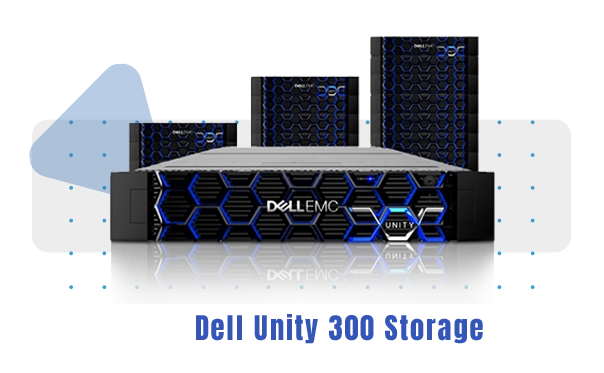
Dell EMC Unity 300 Storage infrastructure is an enterprise storage layer used in our VDS services with the goal of high disk performance and stability. Since disk access speed and latency are critical for VDS performance, this architecture provides a smoother experience.

What is Dell EMC Unity 300 Storage?

Dell EMC Unity 300 is a reliable storage system used in data centers. It helps strengthen VDS disk performance by providing the high IOPS and lower latency required in virtualization environments.

Why is it important in VDS infrastructure?

In projects running on VDS, database queries, file read/write operations, and application processes depend directly on storage. With Unity 300, the goal is faster disk access, lower response times, and more stable operation.

Who is it suitable for?

For e-commerce, corporate websites, database-heavy applications, and projects requiring high I/O, a VDS infrastructure based on Dell EMC Unity 300 Storage provides performance advantages.

Dell EMC

What is a Virtual Server?

A virtual server (VDS) is a high-performance server solution where a physical server’s resources are virtualized and allocated exclusively to you. Compared to shared hosting, it offers more control, stronger resource utilization, and more stable operation. It provides scalable infrastructure for applications, websites, databases, and corporate projects.

What is a Virtual Server used for?

With VDS, you can run your websites, panel applications, and custom software in your own environment. Thanks to root access, custom configuration, and independent resource usage, it better meets performance and security needs. Since it’s easy to increase resources as traffic grows, it adapts to your growth plans.

Difference Between 10G Port and 1G Port

10G port increases network transfer capacity, providing an advantage for projects aiming for higher speed and reduced bottlenecks. 1G port is a common and cost-effective option that offers sufficient bandwidth for standard use cases. The right choice should be based on your project’s traffic, file transfer, and concurrent user needs.

Which projects should prefer a 10G Port?

10G port virtual server options are better suited for high-traffic websites, systems that transfer large files, projects with heavy backup traffic, and latency-sensitive applications. In scenarios such as CDN integrations, large data transfers, or hosting multiple services, network capacity becomes a key factor.

When is a 1G Port sufficient?

1G port virtual server is often sufficient for corporate websites, mid-scale e-commerce projects, standard API services, and general-purpose usage. With proper resource planning and optimized infrastructure, stable performance can be achieved.

What should you consider when choosing a Virtual Server?

When choosing a VDS, evaluate CPU, RAM, disk infrastructure (SSD/NVMe), uplink port option (10G/1G), uptime, DDoS protection, and 24/7 technical support together. Flexibility to upgrade resources as your project grows is also a major long-term advantage.

Virtual server

What is a Dedicated Server?

A dedicated server is a dedicated server service placed in a data center where all hardware resources are allocated to a single customer. Unlike shared environments, CPU, RAM, disk, and network resources are entirely yours. It is preferred for projects that require high performance, full control, and enterprise-grade security.

What is a Dedicated Server used for?

A dedicated server provides a strong foundation for high-traffic websites, critical business applications, large database systems, and custom software infrastructures. With full privileges, you can install the operating system, configure security, and optimize services. Since resources aren’t shared, it delivers more predictable performance under heavy load.

Difference Between 10G Port and 1G Port

10G port provides higher network transfer capacity, offering an advantage for projects with heavy traffic and high transfer needs. 1G port is a widely used and cost-effective option that provides sufficient bandwidth for standard scenarios. The right port choice should be based on traffic, file transfer, and concurrent connection needs.

Who is a 10G Port Dedicated Server suitable for?

10G port dedicated server is suitable for high-traffic platforms, services delivering heavy media content, systems with large backup traffic, and enterprise infrastructures hosting multiple services. For projects requiring high-volume data flow, network capacity directly impacts performance.

When is a 1G Port Dedicated Server sufficient?

1G port dedicated server is often sufficient for corporate websites, mid-scale e-commerce projects, standard application servers, and general-purpose deployments. With the right hardware selection and optimized configuration, stable operation is achieved.

What should you consider when choosing a Dedicated Server?

When renting a dedicated server, evaluate CPU, RAM, disk infrastructure (SSD/NVMe), uplink port option (10G/1G), uptime, DDoS protection, and 24/7 technical support together. Hardware upgrades and flexible scaling aligned with your growth plan also matter long-term.

Dedicated Server

Instant Activation on Virtual Servers

Instant activation means your virtual server (VDS) is automatically deployed and becomes ready to use shortly after your order is completed. Without waiting for manual setup, you can launch your project quickly and put your infrastructure into operation on the same day.

What does Instant Activation provide?

With instant delivery, you don’t lose time when starting a new project. In urgent capacity needs, a VDS can be provisioned quickly, applications can be migrated, and services can be started. This speed is a major advantage especially during campaign periods and traffic spikes.

Who is it suitable for?

E-commerce, corporate websites, API services, game servers, and software test environments that require fast setup often prefer a virtual server with instant activation. Define the resources your project needs, activate your service in a few steps, and start working immediately.

What should you consider when buying a VDS?

When choosing a VDS, evaluate CPU, RAM, disk infrastructure (SSD/NVMe), 10G port or 1G port options, uptime, DDoS protection, and 24/7 technical support together. With the right package, you’ll have a long-term infrastructure built for performance and scalability.

Buy a Virtual Server

Free Control Panels

Free control panel options make server management more practical by providing a fast admin interface for core needs. Support within this service is limited only to the following control panels.

Free Control Panels We Support

  • Cyber Panel
  • Vesta Panel
  • CentOS Web Panel

When is it preferred?

Free control panels are preferred for standard needs such as basic web hosting management, email accounts, domain operations, and service administration. Choosing the right panel for your project’s scale and purpose simplifies server management and speeds up operations.

Free Control Panels

What are the advantages of a Virtual Server?

A virtual server (VDS) is a powerful infrastructure solution that provides more control and more stable resource usage for projects. It delivers performance and management convenience for websites, databases, enterprise applications, and hosting needs.

Resources are dedicated to you

Since CPU, RAM, and disk resources are allocated specifically to you, performance becomes more predictable. This provides stable operation even under heavy traffic.

High performance and speed

With SSD/NVMe storage and proper configuration, response times decrease and applications run faster. For performance-focused projects, VDS makes a real difference.

Flexible scalability

As your project grows, increasing CPU, RAM, and disk resources is easy. This allows you to scale without rebuilding your infrastructure.

Full control and flexible configuration

With root access, you have full control over the operating system and service settings. Custom software installations and security configurations can be done freely.

Network options: 10G Port / 1G Port

Depending on the project, you can choose 10G port or 1G port options. For systems that require high traffic and heavy data transfer, a 10G uplink provides an advantage.

Security and isolation

The VDS model provides stronger isolation compared to shared environments. With the right security layers, data and application security can be managed more effectively.

Virtual Server Advantages

What are the differences between VDS and VPS?

VDS and VPS are two virtual server models that work by partitioning a physical server through virtualization. The main difference is how resources are shared and how predictable performance is. The right choice should be made based on your project’s traffic, performance, and stability needs.

Resource sharing and performance

In a VPS setup, resources are often shared more flexibly; during peak usage, neighboring workloads can affect performance. On the VDS side, resources are more clearly separated, resulting in more stable and predictable CPU and RAM usage. That’s why VDS performance can be advantageous for heavily loaded projects.

Level of isolation

VDS offers stronger isolation, helping projects run more independently from one another. VPS is sufficient for many scenarios, but its isolation level can vary depending on the virtualization model used.

Use cases

VPS can be preferred for mid-scale websites, test environments, and standard applications. VDS is more suitable for database-intensive systems, high-traffic projects, e-commerce infrastructures, and enterprise use cases that require more consistent resources.

Price / performance balance

VPS is usually a more affordable starting option. VDS can become more advantageous in price-performance as projects grow, thanks to stronger resource guarantees and stability.

Which option is the right choice?

If your priority is stable performance, clearer resource allocation, and more predictable operation under heavy load, VDS is the better choice. If you want a more cost-effective start and need to meet standard usage requirements, VPS can be preferred.

What are the differences between VDS and VPS?

Türkiye’s Most Advanced TIER III Data Center Infrastructure

Our services run on an infrastructure positioned to TIER III data center standards. With fully redundant power and fully redundant fiber infrastructure, the goal is service continuity, while 24/7 secure access policies keep operational security at the highest level.

Fully redundant power and fiber infrastructure

The data center operates with its own fully redundant power infrastructure and fully redundant fiber infrastructure. This reduces the risk of outages and supports high availability expectations for critical services.

2.4 Tbit Backbone Capacity

2.4 Tbit backbone capacity provides a strong network backbone for projects that require heavy traffic. As an operator-independent data center with Türkiye’s largest network capacity, it enables flexible connectivity planning with multiple operator alternatives.

Juniper Series Network Equipment

By using Juniper series network equipment at the network layer, the goal is low latency, stable routing, and high throughput. This keeps network performance and service quality at an enterprise level.

24/7 Network Monitoring

The infrastructure is continuously monitored with 24/7 network monitoring. Traffic, link health, and potential anomalies are tracked to speed up response processes—strengthening uptime and service continuity goals.

data center server hosting

Fast Solution Center

Frequently asked questions and actionable suggestions to help you progress within minutes.

Our DDoS device is an IN-LINE device. It detects and mitigates all attack types passing through the device. In this context, it will be 200G for domestic and 400G for abroad. We work with TIER one operators with INLINE DDoS service with our 1.8Tbit/s main uplink line. We mainly work with operators such as Cogent - Seabone - Tsparkle - Türk Telekom - Vodafone - Türkcell.

Yes. You can add the backup service on the VDS server configuration page during ordering. After purchasing, backups of your VDS server will be taken daily and your data loss will be minimized in case of possible problems.

CentOS 6.10
CentOS 7.9
CentOS Stream 8.5
CentOS Stream 9.0
Alma Linux 8.8
Alma Linux 9.2
Alma Linux 9.3
Alma Linux 9.4
Rocky Linux 8.8
Rocky Linux 9.2
Rocky Linux 9.3
Rocky Linux 9.4
Cloud Linux 8.9
Cloud Linux 9.3
Cloud Linux 9.4
Fedora 37.1.7
Fedora 38.1.6
Fedora 39.1.5
Fedora Server 41
Oracle Linux 8.9
Oracle Linux 9.3
Oracle Linux 9.4
Debian 9.13
Debian 10.13
Debian 11.8
Debian 12.2
Debian 12.4
Debian 12.7
Ubuntu 14.04
Ubuntu 16.04
Ubuntu 18.04
Ubuntu 20.04
Ubuntu 22.04
Ubuntu 23.10
Ubuntu 24.04
Ubuntu 24.10
openSUSE Leap 15.5
openSUSE Tumble Weed
Virtuozzo Linux 8.5
FreeBSD 13.4
FreeBSD 14.1
Windows 7
Windows 8.1
Windows 10
Windows 11
Windows Server 2008
Windows Server 2012
Windows Server 2016
Windows Server 2019
Windows Server 2022
Windows Server 2025
VMware ESXi 6.0 Nested
VMware ESXi 6.5 Nested
VMware ESXi 6.7 Nested
VMware ESXi 7.0 Nested
VMware ESXi 8.0 Nested
Proxmox VE 8.1 Nested
Proxmox VE 8.2 Nested
cPanel (Alma Linux 9.2)
cPanel (Rocky Linux 9.2)
cPanel (Cloudlinux 8.9)
cPanel (Ubuntu 20.04)
Plesk Panel (Alma Linux 8.8)
Plesk Panel (Rocky Linux 8.8)
Plesk Panel (Debian 11.8)
Plesk Panel (Ubuntu 22.04)
Cyber Panel (Alma Linux 8.8)
Cyber Panel (Ubuntu 18.04)
Cyber Panel (Ubuntu 20.04)
Cyber Panel (Ubuntu 22.04)
Cloud Panel MySQL 8.0 (Debian 11.8)
Cloud Panel MySQL 8.0 (Ubuntu 22.04)
Cloud Panel MariaDB 10.11 (Debian 11.8)
Cloud Panel MariaDB 10.11 (Ubuntu 22.04)
Vesta CP (Centos 7.9)
Vesta CP (Debian 9.13)
Vesta CP (Ubuntu 16.04)
Vesta CP (Ubuntu 18.04)
Hestia CP MySQL 8.0 (Ubuntu 22.04)
Hestia CP MariaDB 10.11 (Ubuntu 22.04)
aaPanel (Centos 7.9)
aaPanel (Ubuntu 20.04)
CentOS Web Panel (Centos 7.9)
CentOS Web Panel (Centos Stream 8.5)
CentOS Web Panel (Alma Linux 8.8)
CentOS Web Panel (Rocky Linux 8.8)
ISPConfig Panel Apache (Debian 12.4)
ISPConfig Panel Nginx (Debian 12.4)
ISPConfig Panel Apache (Ubuntu 22.04)
ISPConfig Panel Nginx (Ubuntu 22.04)
Docker CE (Ubuntu 22.04)
GitLab CE (Ubuntu 22.04)
LAMP Stack Linux, Apache, MySQL, PHP (Ubuntu 22.04)
LAMP Stack Wordpress Linux, Apache, MySQL, PHP (Ubuntu 22.04)
LAMP Stack Joomla Linux, Apache, MySQL, PHP (Ubuntu 22.04)
LAMP Stack OpenCart Linux, Apache, MySQL, PHP (Ubuntu 22.04)
LAMP Stack PrestaShop Linux, Apache, MySQL, PHP (Ubuntu 22.04)
LAMP Stack AbanteCart Linux, Apache, MySQL, PHP (Ubuntu 22.04)
LAMP Stack MyBB Linux, Apache, MySQL, PHP (Ubuntu 22.04)
LAMP Stack TeamPass Linux, Apache, MySQL, PHP (Ubuntu 22.04)
Rust Desk Server (Ubuntu 22.04)
OpenVPN (Ubuntu 22.04)
Ruby (Ubuntu 22.04)
GO (Ubuntu 22.04)
NodeJS & PM2 (Ubuntu 22.04)
Prometheus & Grafana (Ubuntu 22.04)
SteamCMD (Ubuntu 22.04)
Pterodactyl Game Panel (Ubuntu 22.04)
GameAP Panel (Ubuntu 22.04)
Puffer Game Panel (Ubuntu 22.04)

Yes. In all our VDS services, we provide free installation of services such as Plesk, Cyber, Vesta, Cpanel (trial or licensed) Panel.

There are functions that cannot be changed in shared hosting servers. Therefore, you can optimize your virtual server in your special projects and make the desired settings. You can organize your project according to your project, not your project by server.

Unfortunately, you cannot provide 24/7 up/down transactions on our servers in Turkey, it is ideal for instant transactions. We can help with additional charges for your Up/Down transactions.

All Our IP Addresses A - C Class

VDS (Virtual Dedicated Server) is the abbreviation of English expression. In other words, it is the server system obtained with virtual assigned resources. This method is more performance and secure than other virtualization technologies. Resources such as Ram, CPU and Disk assigned from the main server are within real limits. The resource assigned to a user leaves the system. It is not shared with any other user. For example, when you order your server with 8 GB of ram, even if you do not use it, 8 GB of ram will be assigned to you and will be dropped from the system. In other systems, if the assigned resources are empty, they can be used by a different user, thus slowing down the service of everyone in total in system density.

Turkey's Largest Network and Operator Independent Data Center with 2.4 Tbit Backbone Capacity. We serve you with Juniper series network devices, 8 X 10Gbps Fiber Switch Backbone.

English control panel support. You can monitor and manage your server through this control panel. You can easily perform operations such as format and reboot from your customer panel.

VPS - VDS is delivered automatically. Our virtual servers work depending on the automation system.

This amount depends entirely on the hits and resource consumption of your sites. Whether you have a single site or dozens of sites, you can broadcast your sites with an average of 5K to 15K daily hits on different packages with well-optimized sites. The less load your sites give to the server, the higher your performance rate will be.

Provided internet/line availability is 1 GBit/s for economical packages, 10 GBit/s for Premium and Premier Servers, and this speed is allowed for instant or short-term use. A short-term limitation is applied by the automation within the continuity. For your continuous use, you need to rent a non-shared line. You can order the line capacity you need during the order.

IP whois registration is made at minimum /24 ip addresses, and RDNS registration can be made in each received subnet block.